USB Mic Arm Stand Kit: Cleaner Voice, Faster Setup
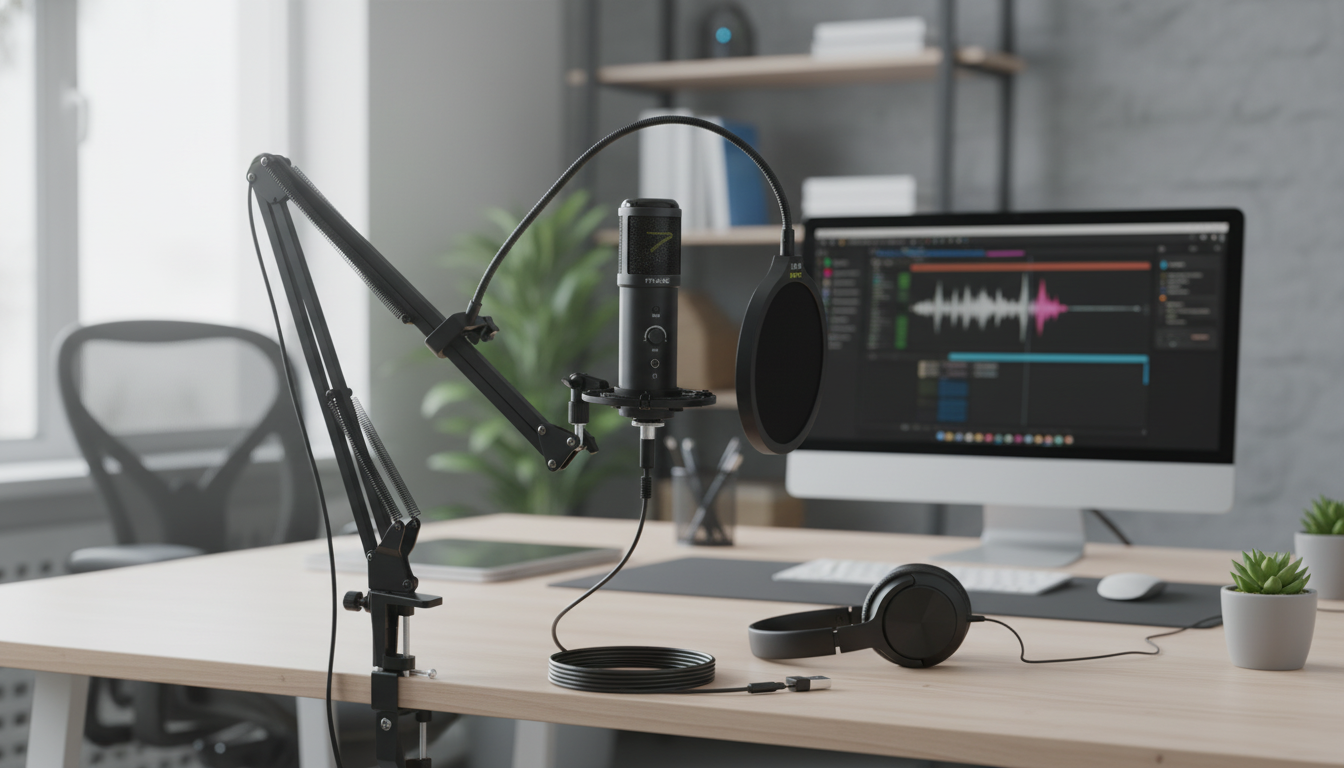
USB Gaming Microphone Kit with Arm Stand: Clean Voice, Quick Setup, Less Desk Clutter
A solid mic setup can make team comms clearer, streams more professional, and recordings less fatiguing to listen to. This kit pairs a USB microphone with an adjustable arm stand to place the capsule closer to your mouth while keeping the desk surface open. The result is a simpler path to consistent volume and reduced keyboard noise compared with a mic sitting flat on the desk.
What a USB mic kit with an arm stand changes in everyday use
A desk mic placed at keyboard level often “works,” but it usually forces higher gain, inconsistent distance, and more pickup of whatever your desk is doing. A USB mic plus arm stand changes the day-to-day experience in a few practical ways.
- Improves consistency: keeping the mic closer helps maintain steady volume even when posture shifts mid-match or mid-meeting.
- Reduces desk rumble: moving the mic off the desktop helps limit vibrations from typing, mouse movement, or accidental bumps.
- Faster workflow: swing the mic in for gaming or calls, then push it out of the way for eating, writing, or controller play.
- Cleaner cable management: routing the USB cable along the arm reduces loose loops across the desk and keeps the setup looking intentional.
What’s typically included in the kit (and what each part does)
Most USB gaming microphone kits with an arm stand focus on minimizing extra gear. The components are straightforward, but each one solves a specific problem.
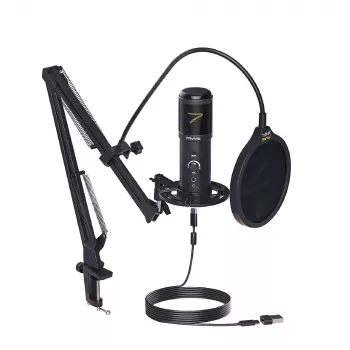
- USB microphone: converts your voice to digital audio inside the mic body, so you don’t need an external audio interface to get started.
- Arm stand: clamps to your desk and provides adjustable reach, height, and angle so the mic can live at mouth level instead of desk level.
- Mounting hardware: adapters/brackets that connect the mic to the arm (often using standard mic threads), helping prevent wobble.
- USB cable: plugs into a PC or laptop for power and audio, keeping setup simple and portable.
- Basic accessories: depending on the kit version, you may see a windscreen or pop protection to soften breath blasts and consonants.
Placement that sounds better than “turning the gain up”
Clear voice is usually more about geometry than about cranking the input level. Before changing app filters or maxing out gain, try dialing in a position you can repeat every day.
Quick setup checklist for PC streaming, chat, and calls
Fast configuration targets
| Setting | Practical target | Why it helps |
|---|---|---|
| Mic distance | 4–8 inches | Higher voice-to-room ratio, less background noise |
| Input level | Normal speech below clipping | Prevents distortion and harsh artifacts |
| Mic position | Closer to mouth than keyboard | Reduces mechanical noise pickup |
| Monitoring | Short test recording | Catches issues before calls/streams |
Using it with common apps without fighting the audio
- Discord: choose the mic in Voice & Video input device settings and avoid stacking aggressive noise suppression from multiple places. If you change devices, re-check the selected input. Reference: Discord Voice and Video Settings.
- OBS Studio: add the mic as an Audio Input Capture source. If your levels vary a lot, gentle compression can help even out loudness without sounding “squeezed.” Reference: OBS Studio Documentation.
- Zoom/Meet: if “auto” levels pump up room noise during pauses, try a consistent physical position and a fixed input level instead.
- Games with built-in voice chat: confirm the system default input matches the in-game selection; many titles won’t follow changes made after launch.
For general device behavior and compatibility, USB standards information is maintained by the USB Implementers Forum (USB-IF).
Comfort and durability tips for the arm stand
Product option available now
If you want a ready-to-mount solution that keeps the mic at a repeatable distance and frees up desk space, the USB Gaming Microphone Kit with Arm Stand is designed for gaming voice chat, streaming, and recordings with simple USB connectivity. It’s a strong fit for desk setups that need adjustable positioning without adding an audio interface.
Other in-stock picks
- 5-in-1 Hair Dryer & Styler Brush with Auto Curling and Frizz Control
- Women’s Suede Leather Lace-Up Loafers
- The Cozy Corner That Changes Mornings: Ultimate Breakfast Nook with Banquette Seating Guide
FAQ
Will a USB gaming microphone work without an audio interface?
Yes. USB microphones include built-in audio conversion, so they’re typically plug-and-play on most computers. Just select the USB mic as your input device in both your system sound settings and within each app you use.
How far should the microphone be from the mouth for clear voice chat?
About 4–8 inches is a reliable starting range for a clear, full voice with less background pickup. Speak slightly off-axis and adjust the input level to avoid clipping instead of placing the mic far away and boosting gain.
Why does my keyboard sound so loud on the mic and how do I reduce it?
The mic is usually too close to the keyboard or the gain is too high for the distance. Move the mic closer to your mouth, angle it away from the keyboard, lower input gain, and only then add light noise suppression if needed; reducing desk vibrations also helps.









Leave a comment