Portable 4K WiFi Mini LED Projector: Backyard Setup Tips
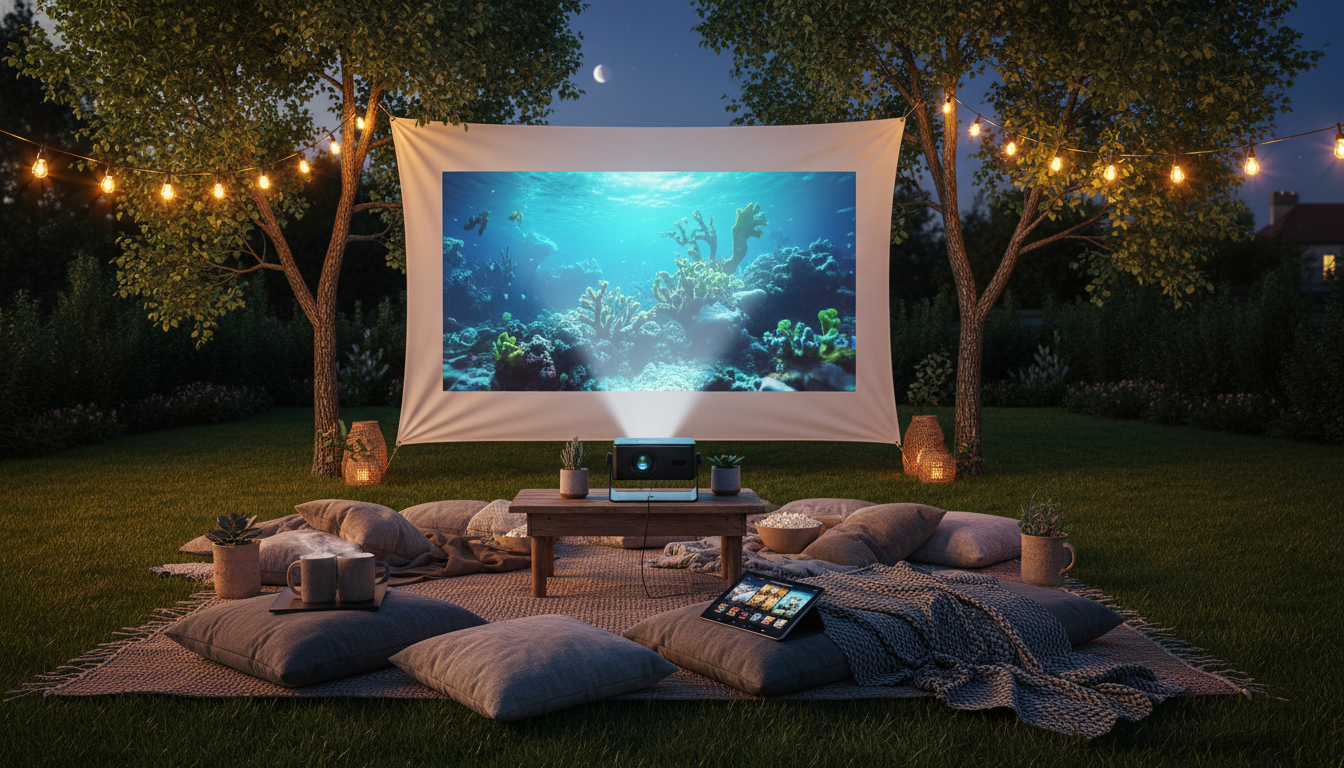
Backyard Movie Nights Made Easy with a Portable 4K WiFi Mini LED Projector
A compact projector can turn a patio, campsite, or even a blank living room wall into a big-screen experience—without hauling a full home theater setup. The trick is knowing what a portable 4K-capable WiFi LED projector does well, where its limits are, and how to set it up so the picture looks crisp and the sound carries. Below is a practical walkthrough for outdoor movie nights and simple indoor viewing, plus connection and tuning tips that make a small projector feel surprisingly “cinema-like.”
What a Portable Mini LED Projector Can Do (and What It Can’t)
Portable mini LED projectors shine when convenience matters: quick setup, easy storage, and flexible placement. They’re a great fit for casual movie nights, travel, and occasional sports watch parties—especially when you can control the lighting.
- Best use cases: casual home theater nights, bedroom viewing, outdoor movie gatherings after sunset, travel/camping, and quick presentations.
- About “4K” claims: many compact models accept or decode 4K input, but perceived sharpness still depends on native resolution, focus uniformity, and how large you project.
- WiFi features: wireless screen mirroring/casting can be convenient, but reliability depends on router strength, distance, and interference.
- LED light engine benefits: LEDs typically run cooler and can last a long time, but brightness is often more limited than larger, premium home theater projectors.
- Outdoor reality: ambient light is the enemy—porch lights, streetlights, and twilight wash out blacks and reduce contrast.
| Situation | What Works Well | What to Plan For |
|---|---|---|
| Backyard movies | Big image on a simple screen or wall | Start after dusk; manage extension power and speaker volume |
| Bedroom/home theater | Convenient placement and easy source switching | Use a stable mount/stand; consider external audio for fuller sound |
| Travel/camping | Lightweight setup and quick entertainment | Power bank or generator needs; protect from moisture and dust |
| Sports nights | Large group viewing | Reduce WiFi lag by using HDMI when possible |
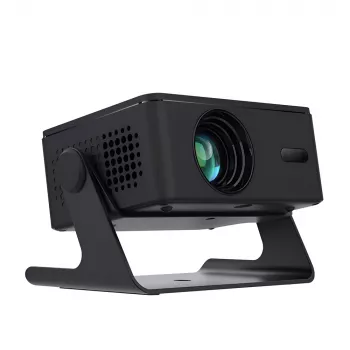
Featured Pick: Portable 4K WiFi Mini LED Projector for Home Theater & Outdoor Movies
If the goal is a budget-friendly, grab-and-go setup for backyard films and casual indoor viewing, the Portable 4K WiFi Mini LED Projector for Home Theater & Outdoor Movies is built around flexibility: quick placement on a table or tripod, wireless casting when running cables is annoying, and a compact footprint that stores easily between weekends.
- Designed for on-the-go projection for indoor viewing and outdoor gatherings.
- Portable form factor for fast setup on a stable surface.
- WiFi casting options for convenience when cable runs are impractical.
- A practical choice for occasional movie nights and casual entertainment.
- Accessible pricing for first-time projector buyers building a simple backyard cinema kit.
Fast Setup for Outdoor Movies (15-Minute Plan)
This is the streamlined routine that avoids the most common backyard problems (washed-out images, wobbling focus, and weak sound).
For screen size planning, a projection distance calculator can help you avoid awkward placements; ProjectorCentral’s tool is a solid reference: Projector Screen Size Guide.
Picture Quality Tuning: Sharpness, Color, and Focus
1) Align first, then adjust
2) Use keystone carefully
3) Focus using real content
4) Adjust brightness to the environment
5) Screen choice matters more than most people expect
WiFi Casting vs HDMI: Choosing the Best Connection
- HDMI advantages: steady playback, minimal lag, best for sports and gaming, fewer buffering issues. (For background on the standard, see HDMI Specification Overview.)
- WiFi advantages: cleaner setup, no long cable run, easy sharing from phones/tablets for casual viewing.
- Reduce wireless hiccups: keep the projector near the router/hotspot, limit other heavy network use, and prefer 5 GHz when available (general Wi-Fi basics: Wi‑Fi CERTIFIED basics).
- Streaming service limitations: some apps block mirroring; a streaming stick via HDMI is often the simplest workaround.
- Audio sync tip: if Bluetooth audio lags, try wired audio from the source, or keep audio on HDMI into a speaker system that supports it.
Sound That Carries Outdoors
Care, Storage, and Long-Term Reliability
Bonus: Make the Indoor Setup Feel Like a “Mini Theater”
If movie nights move indoors during colder months, comfort becomes part of the experience. For a cozy viewing-and-snack corner idea, check out The Cozy Corner That Changes Mornings: Ultimate Breakfast Nook with Banquette Seating Guide—a handy reference for creating a space that works for casual gatherings, including game nights and movie marathons.
FAQ
Is a portable 4K projector truly 4K?
Many portable “4K” projectors support 4K input and decoding, but the native display resolution may be lower. Sharpness also depends on focus consistency, projection size, and viewing distance, so expect “4K-capable” convenience rather than premium cinema-level detail in budget mini models.
Can a portable projector work well outside during the day?
Daytime outdoor viewing is difficult because ambient light washes out contrast. For the best results, use deep shade, keep the screen smaller for higher perceived brightness, and reduce nearby light sources—otherwise, plan for dusk or full dark.
What’s the easiest way to stream movies without WiFi issues?
Use HDMI from a streaming stick or laptop for the most consistent playback. If casting is preferred, keep the projector close to the router/hotspot and remember that some streaming apps restrict mirroring.









Leave a comment