75% Wireless Gaming Keyboard w/ Knob, Hot-Swap RGB
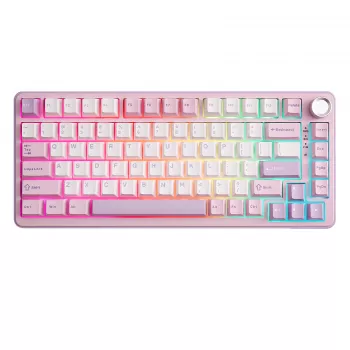
75% Wireless Mechanical Gaming Keyboard with Knob: Hot-Swap Switches and RGB Backlighting
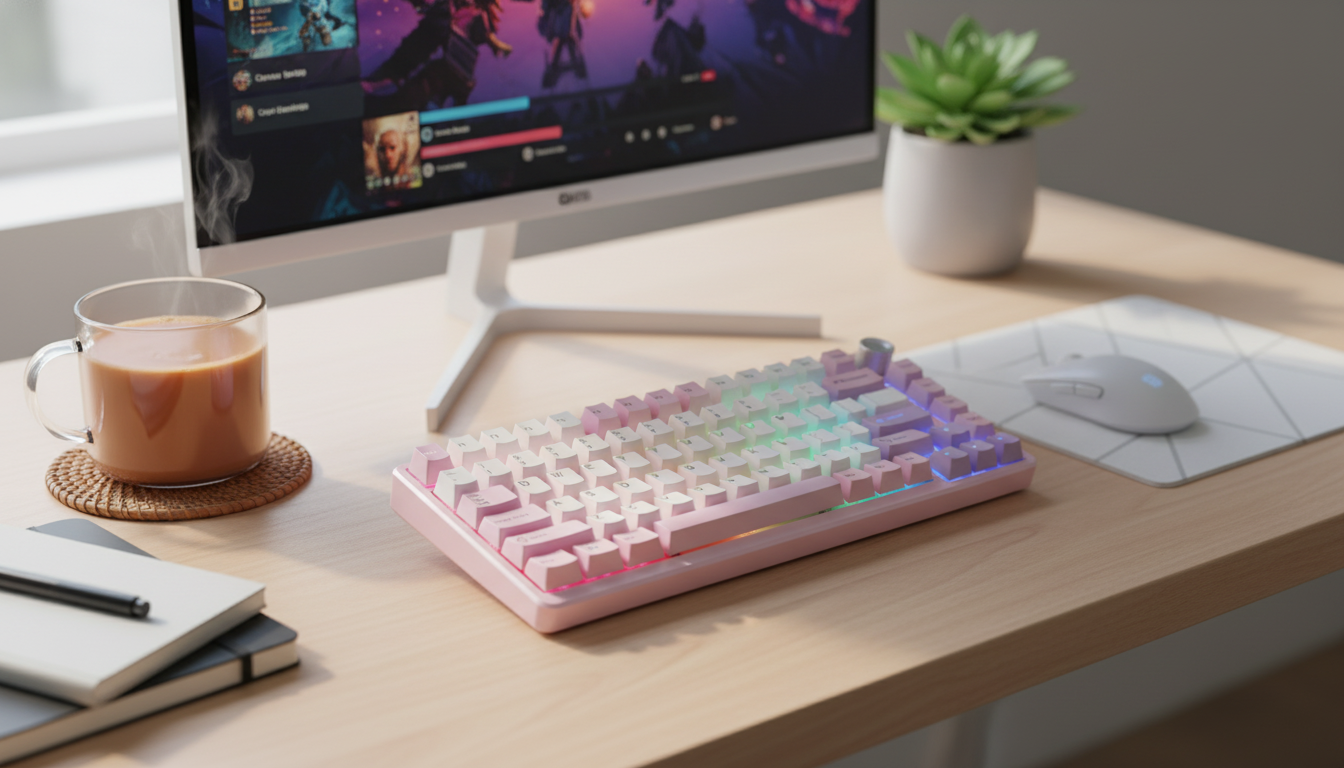
A compact 75% layout can keep desk space clear while preserving dedicated arrow keys and essential navigation buttons. With wireless connectivity, hot-swappable switches, vivid RGB lighting, and a multifunction control knob, this style of keyboard is built for fast gameplay, efficient work, and easy personalization.
What a 75% Layout Changes (and What It Keeps)
A 75% keyboard trims the footprint down from a full-size board and even tighter than many tenkeyless (TKL) models, while still keeping the arrow keys and a practical navigation cluster. The result is a layout that feels familiar enough for everyday use, but compact enough to reclaim valuable mouse space—especially helpful on smaller desks.
This format is a strong match for competitive players who want more room for wide mouse swipes, creators who prefer a cleaner setup without giving up arrows, and anyone juggling work and play on the same station. The main adjustment is learning the function-layer shortcuts and getting used to slightly compressed spacing. Depending on the keymap, keys like Home/End/Delete may move or require an Fn combo, so it’s worth spending a few minutes setting a layout that matches your habits.
From an ergonomics angle, the shorter width often helps keep your shoulders more centered and reduces the reach to your mouse. Pair that with wireless connectivity and you can also simplify cable routing for a cleaner surface.
Wireless Modes and Everyday Reliability
Most wireless mechanical gaming keyboards in this class offer three ways to connect: a 2.4 GHz USB receiver for low-latency play, Bluetooth for convenient multi-device use, and wired USB for charging or a no-compromise session. For fast-twitch games, 2.4 GHz is typically the go-to because it’s designed around steadier performance and quick response. Bluetooth is often ideal for laptops, tablets, and office switching, even if it can be a touch less consistent for highly competitive scenarios.
For the most stable wireless experience, keep the receiver as close as practical (front USB ports can help), avoid crowded USB hubs that may introduce interference, and update your OS Bluetooth drivers if pairing gets finicky. When the battery runs low, many keyboards let you keep playing in wired mode while charging. If you want longer runtimes, reducing brightness and using fewer animated lighting effects makes a noticeable difference.
| Mode | Best for | Strengths | Trade-offs |
|---|---|---|---|
| 2.4 GHz wireless dongle | Competitive gaming | Low latency, stable connection | Needs USB port and receiver storage |
| Bluetooth | Multi-device productivity | Easy switching, broad compatibility | Typically higher latency than 2.4 GHz |
| Wired USB | No-compromise sessions | No battery concerns, consistent performance | Cable on desk; less mobile |
For deeper reference on Bluetooth behavior across devices, the Bluetooth Core Specification is the official baseline. For charging and wired compatibility details, the USB-IF documentation is the authoritative source.
The Knob: Fast Control Without Leaving the Game
A top-mounted control knob is one of those features that becomes second nature quickly. The default is commonly volume up/down with a press to mute, but many keyboards also support other assignments—track scrubbing, zooming, scrolling, or app-specific shortcuts—depending on the software.
Hot-Swap Switches: The Fastest Way to Change Feel and Sound
At a high level, switch families break down into linear (smooth), tactile (a bump you can feel), and clicky (tactile plus an audible click). Linears are popular for FPS movement and rapid repeats, tactiles can improve confidence for typing and keybind-heavy games, and clickies deliver strong feedback but are often too loud for shared spaces. For background on common switch designs and terminology, the Deskthority switch guide is a useful reference.
| Switch type | Feel | Sound profile | Common use cases |
|---|---|---|---|
| Linear | Smooth, no bump | Often quieter (depends on build) | FPS movement, rapid key repeats |
| Tactile | Noticeable bump | Moderate | Typing accuracy, strategy/MMO keybinds |
| Clicky | Bump + click | Loud | Feedback-focused typing, shared spaces not recommended |
RGB Backlighting That’s Useful (Not Just Flashy)
Build and Comfort Details That Matter
Setup Checklist: Pairing, Mapping, and Maintenance
| Task | Goal | Tip |
|---|---|---|
| Choose connection mode | Stable play and device flexibility | Use 2.4 GHz for competitive sessions; Bluetooth for travel |
| Set knob function | Instant control | Assign volume/mute first; refine later |
| Save lighting preset | Visibility without drain | Start at 25–40% brightness |
| Create a keymap layer | Faster shortcuts | Put media and navigation on Fn layer |
| Plan cleaning routine | Consistent feel | Monthly keycap clean if used daily |
Product Snapshot and Who It Fits Best
Available now:
75% Wireless Mechanical Gaming Keyboard with Knob, Hot-Swap RGB Backlit
Other in-stock picks on our store:
Women’s Suede Leather Lace-Up Loafers and
5-in-1 Hair Dryer & Styler Brush with Auto Curling and Frizz Control
FAQ
Can hot-swappable keyboards use any mechanical switch?
Compatibility depends on the socket and the switch pin style. Many hot-swap boards support common MX-style switches, but it’s important to confirm 3-pin vs. 5-pin support and never force a switch if the pins aren’t aligned.
Is 2.4 GHz wireless better than Bluetooth for gaming?
2.4 GHz receivers are typically built for lower latency and steadier performance, which is why they’re commonly preferred for competitive play. Bluetooth is excellent for convenience and multi-device use, especially on laptops and tablets.
What does the knob usually control on a keyboard?
Most knobs default to volume control with a press-to-mute function. If software support is available, the knob can often be customized for scrolling, zoom, brightness changes, or app-specific shortcuts.










Leave a comment