75% Magnetic Wireless Keyboard: Rapid Trigger + 8K
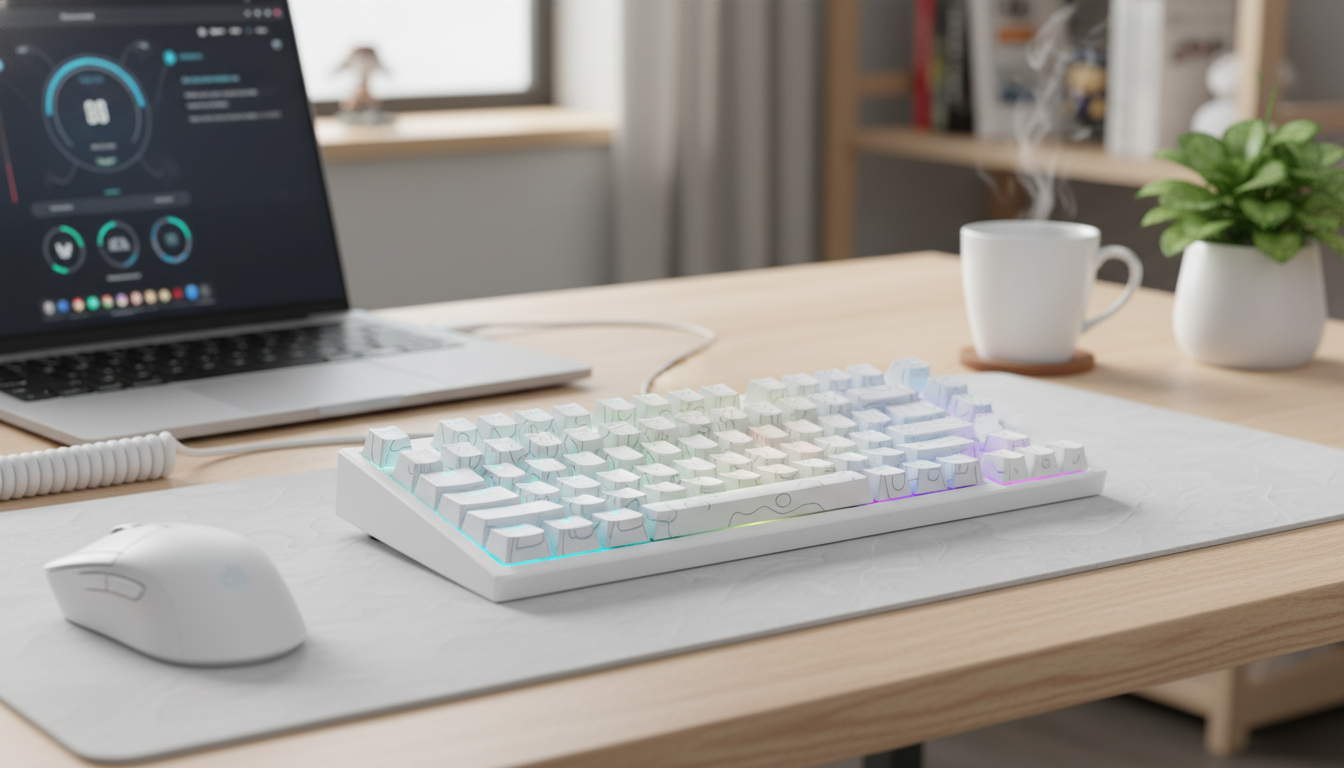
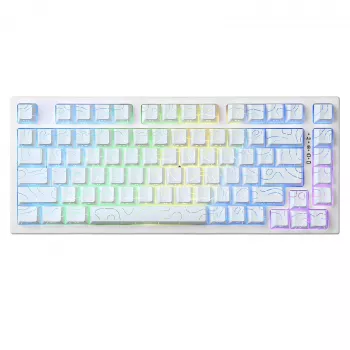
75% Magnetic Wireless Gaming Keyboard with Rapid Trigger & 8K Polling
Fast inputs, flexible connectivity, and a compact layout make this 75% magnetic-switch keyboard a strong fit for competitive play and everyday setups. Magnetic sensing enables adjustable actuation behavior, while high polling is built to reduce input delay in fast-twitch titles. If you like the idea of tuning exactly when a key activates and how quickly it resets, a magnetic board can deliver a “dialed-in” feel that traditional mechanical switches can’t match.
What Makes a Magnetic Gaming Keyboard Different
Most mechanical keyboards rely on a fixed actuation point created by a physical contact. A magnetic (Hall-effect style) keyboard reads key travel continuously through sensors, which opens the door to more customizable behavior.
- Magnetic sensing measures key travel continuously rather than relying on a fixed contact point.
- Adjustable actuation can help tailor movement and ability keys for quick taps or more deliberate presses.
- Rapid-trigger behavior can allow keys to reset sooner during return travel, supporting faster repeat inputs.
- Consistent sensing can reduce issues tied to contact wear, double-press chatter, or debounce tuning (implementation varies by model).
The practical difference is control: instead of adapting your technique to one fixed actuation point, you can tune the keyboard to your playstyle and even to specific games.
Rapid Trigger: How It Feels in Real Gameplay
Rapid trigger is where magnetic boards often feel the most “different” from standard switches. Rather than needing to travel back past a fixed reset point, a key can reset based on tiny changes in travel. That can translate into snappier control when you’re tapping quickly.
- Movement control: quicker stop-start strafes and counter-strafes can feel more immediate when reset distance is small.
- Rhythm of taps: repeated inputs (peeking, bunny hops, ability cancels) can register with less travel needed between presses.
- Learning curve: lighter, earlier triggering can cause accidental inputs until actuation/reset settings are dialed in.
- Best practice: start conservatively for WASD and lower thresholds gradually after a few sessions.
For competitive FPS players, that earlier reset can make movement feel “tighter,” especially when you’re rapidly alternating directions or tapping to control momentum.
8K Polling Explained Without the Hype
Polling rate is simply how often the keyboard reports its state to the computer—up to 8000 times per second at 8K. A higher polling rate can reduce the interval between updates, which may shave milliseconds off input-to-action timing in ideal conditions.
- What it is: the frequency of input state reports over USB.
- What it can do: reduce update intervals versus lower polling modes, potentially reducing delay.
- What still matters: game engine input handling, USB controller behavior, OS scheduling, and overall system load.
- Tradeoffs: higher polling can increase CPU/USB activity; it’s not necessary for every game or device.
For deeper background on how USB devices communicate, see the official documentation from USB-IF and Microsoft’s overview of USB HID. If you plan to use Bluetooth modes on other devices, the Bluetooth SIG resources are a helpful reference for what Bluetooth is designed to do well (and where it may differ from 2.4 GHz gaming receivers).
Quick Reference: Features at a Glance
| Feature | What it means | Why it matters |
|---|---|---|
| 75% layout | Compact layout with function row and arrows | Saves desk space while keeping common keys accessible |
| Magnetic sensing | Analog-style detection of key travel | Enables adjustable actuation and rapid-trigger behavior |
| Rapid trigger | Earlier reset based on travel, not a fixed point | Faster repeated taps and responsive movement control |
| 8K polling | Very frequent input state reporting | Potentially lower input update delay in supported setups |
| Wireless + wired use | Multiple connection options depending on mode | Flexibility for gaming, travel, and desktop setups |
Wireless vs Wired: Choosing the Right Mode
Having both wireless and wired options is about matching the connection to the moment. Competitive sessions tend to prioritize stability and consistency, while everyday use may prioritize a clean desk.
Layout and Daily Use: Why 75% Works
Setup Checklist: Getting the Best Feel
Who This Keyboard Fits Best
Product Option Available Now
If you’re ready to build around magnetic sensing, rapid trigger, and high polling, the 75% Magnetic Wireless Gaming Keyboard with Rapid Trigger & 8K Polling is currently in stock and positioned as a performance-focused compact board. For the most consistent experience at high polling rates, use wired mode; switch to wireless when portability and a clean setup matter most.
Also In Stock
- 5-in-1 Hair Dryer & Styler Brush with Auto Curling and Frizz Control (in stock): a multi-tool option for faster daily styling.
- Women’s Suede Leather Lace-Up Loafers (in stock): a casual, lace-up loafer style for everyday wear.
- The Cozy Corner That Changes Mornings: Ultimate Breakfast Nook with Banquette Seating Guide (in stock): a home guide focused on planning a comfortable breakfast nook.
FAQ
Does 8K polling make a noticeable difference?
It can reduce the time between input updates in supported setups, but how noticeable it feels depends on the game, your system, and the rest of the latency chain. It may also increase CPU/USB activity, so it’s not automatically the best choice for every device or title.
What is rapid trigger on a magnetic keyboard?
Rapid trigger is travel-based actuation/reset behavior enabled by magnetic sensing, allowing a key to reset sooner during return travel instead of waiting for a fixed reset point. It can help with faster repeated inputs, but it usually needs tuning to avoid accidental presses.
Is wireless good enough for competitive gaming?
Many modern wireless solutions are strong, but consistency still depends on your environment and the specific implementation. For maximum stability—especially when using the highest polling settings—wired mode is typically the safest option.










Leave a comment