12V Kids Ride-On Truck: Remote, Suspension, Bluetooth
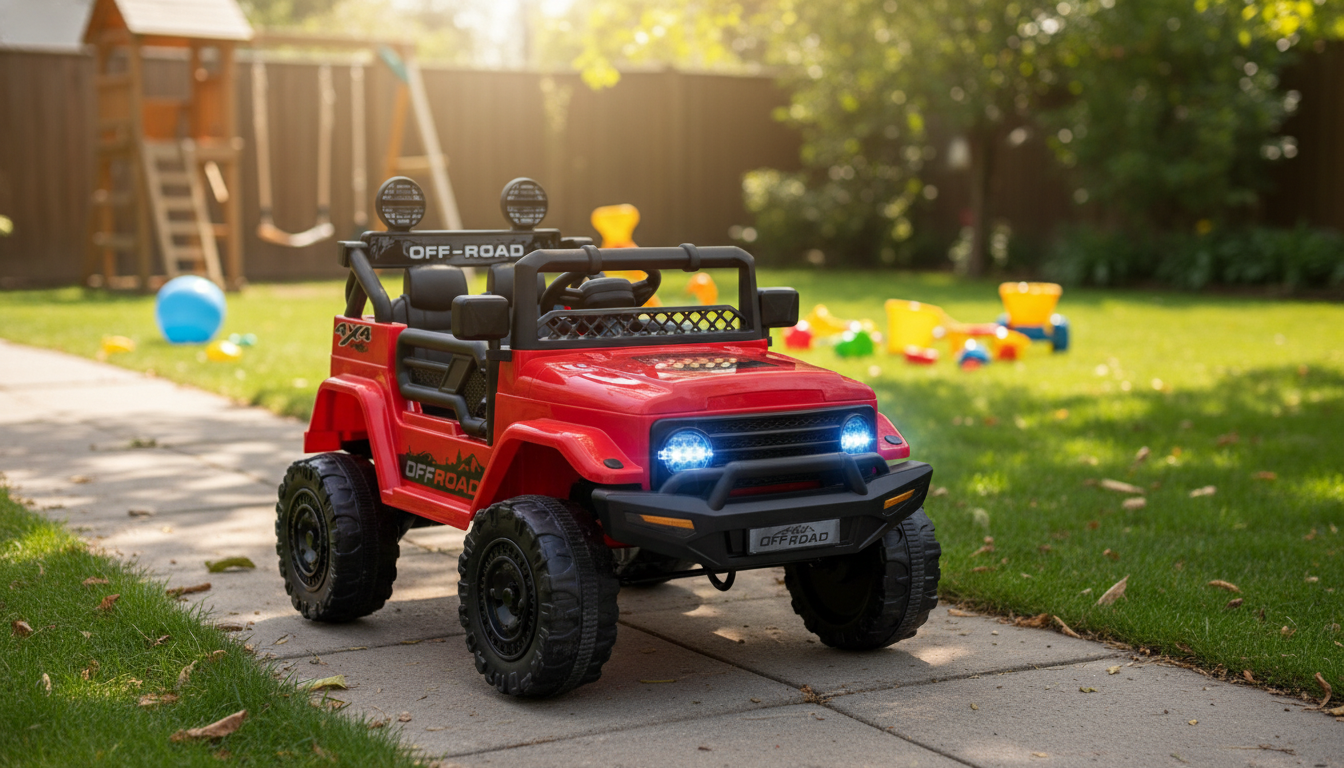
12V Kids Ride On Truck with Remote, Suspension, Bluetooth & LED Lights
A kid-sized electric truck can turn everyday playtime into a confident, skill-building ride—especially when it combines parent-friendly remote control with comfort features like suspension, plus fun extras like Bluetooth music and LED lights. This guide covers what this style of 12V ride-on is made for, how to set it up for smooth first drives, and how to keep every lap around the driveway safer and more enjoyable.
What This Ride-On Truck Is Designed For
A 12V ride-on truck is built to deliver that “real truck” feeling in a kid-appropriate way—enough power to cruise steadily, with features that support learning and supervision.
- Everyday backyard and driveway cruising with a realistic truck look and feel
- Early driving practice: steering, start/stop control, spatial awareness, and confidence
- Two ways to ride: child-driven operation plus parent control via remote
- Entertainment-forward play with music playback through Bluetooth and bright LED accents
Standout Features That Shape the Experience
Some ride-on trucks feel like simple toys; others act more like training wheels for driving skills. These features are the difference-makers for comfort, control, and kid excitement.
- Remote control support: useful for younger riders, tight spaces, or coached learning where an adult wants quick override control.
- Suspension system: helps absorb small bumps so rides feel less jolting on imperfect pavement.
- Bluetooth connectivity: lets kids listen to favorite songs or stories, which can make longer play sessions more engaging.
- LED lights: adds a “real truck” vibe and makes evening play feel special (still requires close supervision and good visibility).
- 12V power platform: typically delivers stronger starts and steadier cruising than lower-voltage options, especially on flat pavement.
Feature-to-Benefit Snapshot
| Feature | What it helps with | Good to know |
|---|---|---|
| Parent remote | Guided driving and safer maneuvering | Keep line-of-sight and practice in open areas first |
| Suspension | Smoother ride on minor bumps | Not a substitute for safe surfaces and speed control |
| Bluetooth audio | Longer engagement and fun rides | Set volume comfortably; avoid distracting the rider |
| LED lights | Visibility and style | Still avoid riding near traffic; LEDs aren’t safety equipment |
Safety and Supervision Basics
Ride-on vehicles are safest when treated like “real driving”: clear rules, clear boundaries, and active adult attention. For broader toy safety guidance, review the U.S. Consumer Product Safety Commission’s toy safety resources at CPSC.gov.
- Use on private property only: driveways, patios, and yards—never on public roads or near moving vehicles.
- Adult supervision stays essential: even with a remote, treat it as an assist—not an autopilot.
- Pick a controlled riding zone: clear boundaries, minimal slopes, and no water hazards (pools, ponds, sprinklers).
- Protective gear matters: a properly fitted helmet is a smart baseline; closed-toe shoes reduce slips. Helmet fit tips are available from the American Academy of Pediatrics at HealthyChildren.org.
- Check fit and posture: the rider should sit back, reach the pedal comfortably, and keep hands on the wheel.
- Follow age/weight guidance: always use the manufacturer’s limits and recommended surfaces.
Setup and First Ride Checklist
A smooth first day often comes down to two steps: assemble carefully and test everything without a rider. Once the basics are verified, short “training laps” help kids learn control without getting overwhelmed.
- Unbox and confirm all parts before assembly; keep small hardware away from children.
- Charge the battery fully before first use to establish good charging habits.
- Test key functions with no rider: forward/reverse, steering response, remote pairing/controls, lights, and audio.
- Start with training rides: low speed, wide turns, and short sessions to build confidence.
- Set simple rules: stop when asked, no standing while moving, and no driving into obstacles.
Quick Pre-Ride Check
| Check item | What to look for |
|---|---|
| Battery level | Sufficient charge for the session; charger removed before riding |
| Wheels/tires | Secure fit; no debris stuck around axles |
| Controls | Forward/reverse works; brake/stop response feels immediate |
| Remote | Connected and responsive; adult knows how to stop the vehicle quickly |
| Area safety | Clear path; no steep slopes; away from streets and water |
Battery, Charging, and Runtime Expectations
Where It Performs Best: Surfaces and Conditions
Bluetooth and LED Tips for a Better Ride
Care, Storage, and Simple Troubleshooting
Product Option
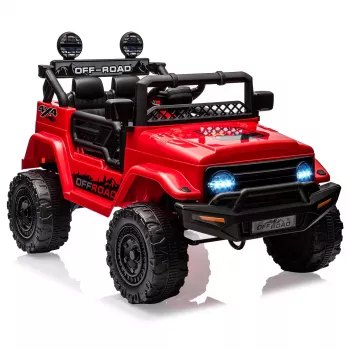
If you want a balanced mix of guided control, comfort upgrades, and kid-pleasing extras, this option brings those pieces together: 12V Kids Ride On Truck with Remote, Suspension, Bluetooth & LED Lights.
Current Listing Details
| Item | Price | Availability |
|---|---|---|
| 12V Kids Ride On Truck with Remote, Suspension, Bluetooth & LED Lights | $146.32 | In stock |
More In-Stock Picks
- 5-in-1 Hair Dryer & Styler Brush with Auto Curling and Frizz Control
- Women’s Suede Leather Lace-Up Loafers
- The Cozy Corner That Changes Mornings: Ultimate Breakfast Nook with Banquette Seating Guide
FAQ
Can a parent fully control the truck with the remote?
The remote is designed for supervision and guided driving, and many models allow an adult to steer and stop or manage forward/reverse movement. Safe use still requires line-of-sight, a controlled riding area, and a properly seated rider (with any included restraints used as directed).
How long does a 12V ride-on truck run on a charge?
Runtime varies based on rider weight, surface type, temperature, and driving habits, so it’s best to expect a range rather than a single number. Fully charge before play, and consider short breaks during longer sessions to keep the ride comfortable and the system from getting overly warm.
Is it safe to use Bluetooth music while driving?
Yes, with common-sense limits: keep the volume moderate, choose calmer audio, and avoid content that pulls attention away from steering. Pair the device before the ride so the child isn’t distracted while the truck is moving.









Leave a comment