Adjustable Aluminum Phone Stand: Stable Desk & Travel Use
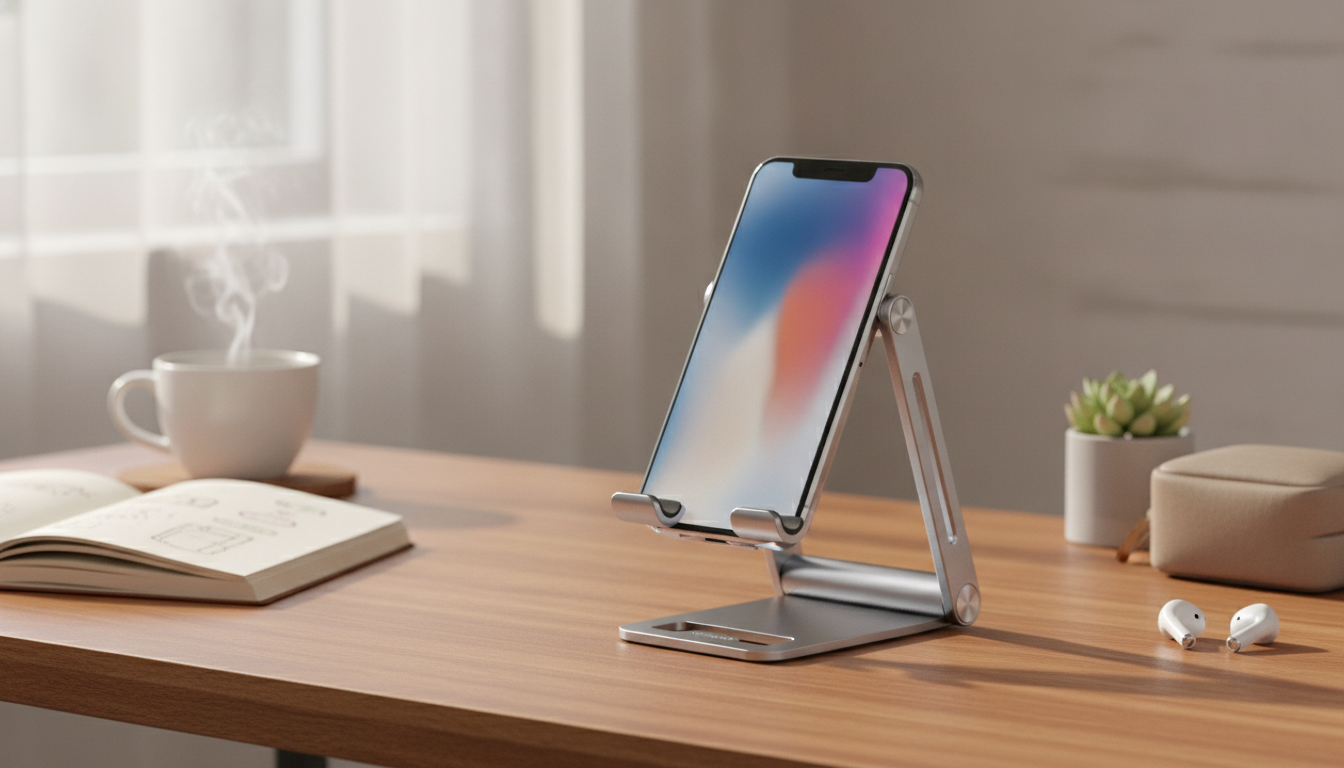
Adjustable Aluminum Phone Stand for Desk, Travel, and Daily Calls
A sturdy phone stand can make video calls steadier, viewing more comfortable, and charging less awkward—especially on busy desks and small workspaces. An adjustable aluminum design adds stability and durability while letting the screen sit at a better angle for reading, scrolling, or streaming.
What an adjustable aluminum stand helps with
- Keeps the phone upright for video calls, meetings, recipes, or bedside use without hand fatigue.
- Improves viewing angle so the neck bends less during long sessions.
- Reduces vibration and wobble compared with lightweight plastic stands.
- Creates a consistent position for content creation (timelapse, filming, hands-free photos).
- Makes charging easier by keeping the connector accessible while the phone is supported.
Key features to look for before buying
- Adjustable angle range: enough tilt for seated work and a higher angle for standing counters.
- Height or multi-joint design (if available): helps align the screen closer to eye level.
- Base stability: heavier base or anti-slip pads to prevent sliding during taps.
- Phone contact surfaces: soft pads to prevent scratches and improve grip.
- Cable clearance: a cutout or channel so charging works in portrait or landscape.
- Foldability: easier to pack for travel, coworking spaces, or classroom setups.
- Case compatibility: should hold common case thicknesses without squeezing buttons.
Quick comparison: aluminum vs. plastic vs. silicone stands
Material choice affects daily comfort more than most people expect. If the stand lives on a desk and gets tapped constantly (notifications, play/pause, scrolling), stability and hinge rigidity matter. If it’s mainly for occasional travel, weight and packability may come first.
Common stand materials at a glance
| Material | Best for | Trade-offs |
|---|---|---|
| Aluminum | Desk setups, frequent tapping, video calls | Heavier; can be pricier than basic plastic |
| Plastic | Light travel, occasional use | Less stable; hinges may loosen |
| Silicone/Rubber | Maximum grip on counters, quick placement | Limited angle options; less rigid |
Ways to use it day to day
- Video calls: place the phone in landscape for a wider frame; keep the lens unobstructed by the cradle.
- Work timer/notifications: keep the phone upright to glance at alerts without picking it up.
- Streaming and gaming: angle the screen to reduce glare; stabilize for consistent touch input.
- Kitchen use: elevate away from spills; use landscape for recipe readability.
- Nightstand charging: set a lower tilt so the screen is visible without lifting the phone.
Comfort and posture tips for smarter screen placement
Small changes in screen height and tilt can make long sessions feel noticeably easier on the neck and shoulders. General workstation ergonomics guidance can help when a phone becomes a “second screen” for chat, calls, or controls.
- Raise the phone closer to eye level when possible to reduce neck bending.
- Keep the screen at a slight upward tilt if seated so the eyes look forward rather than down.
- Use a stable surface so frequent tapping doesn’t cause micro-movements that strain wrists.
- Pair with an external keyboard or earbuds during long sessions to avoid hunching over the screen.
- Take brief breaks during extended viewing to reset posture.
For deeper ergonomics basics, see OSHA’s guidance on workstation setup at OSHA Computer Workstations eTool. For posture habits related to frequent device viewing, Harvard Health Publishing discusses “text neck” and tech posture at Harvard Health Publishing.
Care, durability, and what to avoid
- Wipe aluminum and pads with a soft, slightly damp cloth; avoid harsh solvents on rubber pads.
- Keep hinges free of grit if the stand folds; debris can accelerate loosening.
- Avoid placing on very slick surfaces without pads; sliding increases drop risk.
- Don’t over-tighten or force the angle past its natural stop to prevent hinge wear.
- If used in the kitchen, keep it away from hot cookware to protect pads and finish.
Product spotlight: Adjustable Aluminum Phone Stand
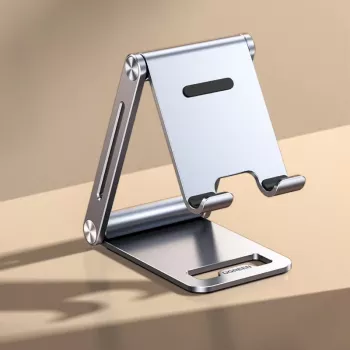
If the goal is a cleaner, steadier place to park a phone throughout the day, an aluminum stand is a practical upgrade—especially for frequent calls, tapping, and charging on a desk. The Adjustable Aluminum Phone Stand is designed for a stable base with an adjustable viewing angle for reading, hands-free watching, and video calls. It’s also easy to pack for hybrid work, travel, or moving between rooms.
At-a-glance details
| Item | Details |
|---|---|
| Name | Adjustable Aluminum Phone Stand |
| Price | 24.51 USD |
| Availability | In stock |
| Product page | View product |
More desk-and-daily tools to pair with your setup
- Mastering Your Day with Smart Habits and AI (Digital Guide) — a structured guide and checklist for building a smoother routine around work blocks, breaks, and follow-through.
- Using AI for Research & Data Summaries (Digital Download) — a practical reference for organizing notes and summaries when juggling projects, classes, or reports.
Pricing and availability can change; check each product page for the most current details.
FAQ
Will an adjustable phone stand work with a phone case on?
Usually yes, as long as the cradle area is wide enough for your case thickness. Confirm the stand doesn’t squeeze side buttons and that the phone sits securely without rocking.
Can the phone be charged while it sits on the stand?
Many stands allow charging through a bottom cutout or open edge. Check that the connector fits comfortably—especially if you use a bulky case or a wider plug.
Is aluminum safe for phones—will it scratch the device?
Aluminum is safe when the phone contact points are padded with soft rubber or silicone. Keeping the stand clean also helps, since trapped grit is the most common cause of rubbing marks.








Leave a comment