RGB USB-C Gaming Mic: Mute Button, Zero-Lag Monitor
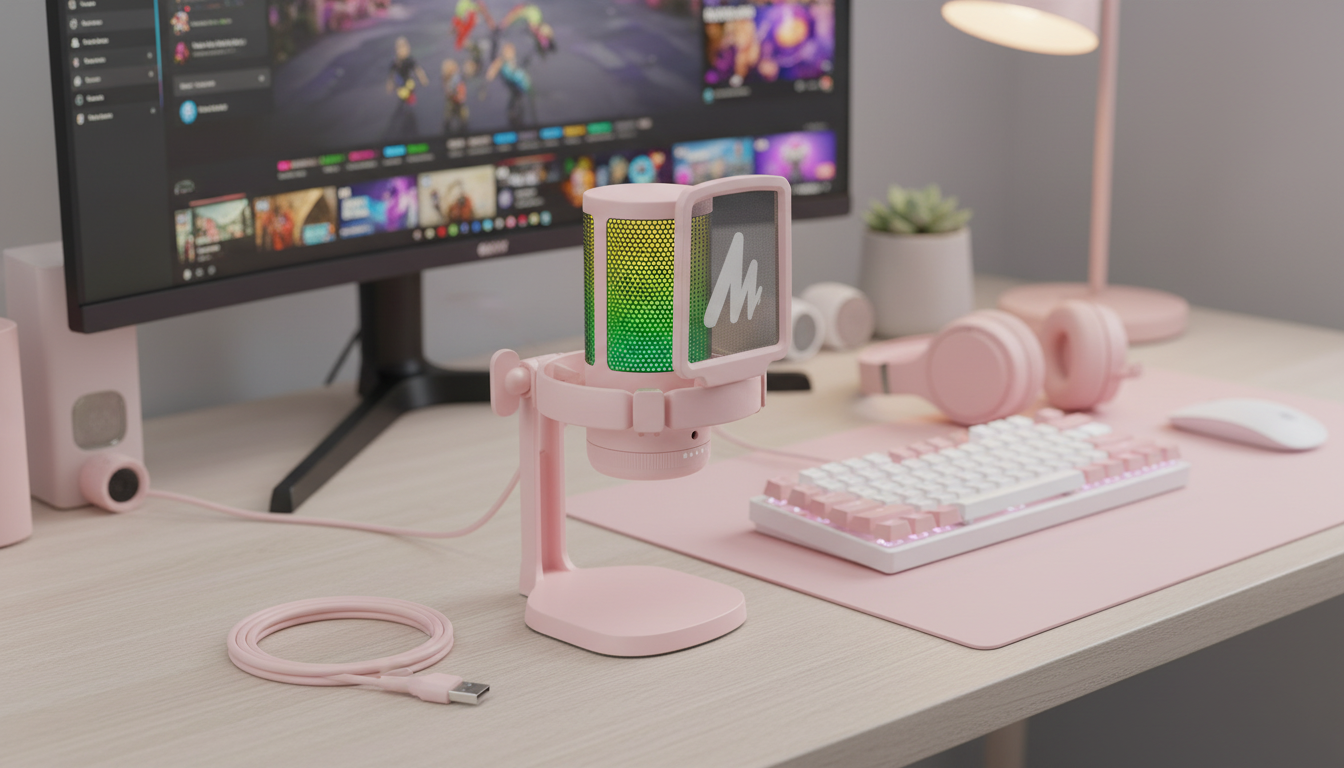
RGB USB‑C Gaming Microphone with Mute Button & Zero‑Latency Monitoring
Clear voice capture can be the difference between a clean callout and a missed moment. This RGB USB‑C gaming microphone focuses on fast setup, instant mute control, and real-time headphone monitoring for streaming, voice chat, meetings, and quick content creation—without complicated audio gear. The result is a desk-friendly option that helps keep comms consistent, reduces “Can you repeat that?” moments, and makes it easier to stay in control when things get loud.
What makes this microphone a strong desk companion
A good desktop mic isn’t only about sounding nice—it’s about removing friction. When a mic is easy to connect, easy to mute, and easy to monitor, it becomes something that can stay on the desk all day for games, calls, and quick recordings.
- USB‑C connectivity supports simple plug-and-play use on many modern devices, avoiding the extra steps that often come with traditional audio interfaces.
- Mute button access keeps voice control within easy reach during matches, calls, or recording takes—especially useful when something unexpected happens in the room.
- Zero‑latency monitoring lets audio be heard in real time through headphones, helping prevent speaking too quietly, drifting off-mic, or clipping during excited moments.
- RGB lighting adds visual feedback and a gaming-friendly look for desk setups and camera scenes, while also helping quickly confirm the mic is powered and active.
- Compact footprint fits smaller desks and shared workspaces, leaving room for a keyboard, mouse, controller, and notes.
For general USB audio behavior and compatibility expectations, it can help to understand the basics of USB audio device classes via the USB-IF overview.
Everyday use cases: gaming, streaming, and remote calls
This style of USB‑C gaming microphone is built for the real world: quick sessions, mixed-use setups, and frequent switching between apps. A few common scenarios show why the feature set matters.
- Team chat and competitive play: a quick mute is handy for coughs, side conversations, or push-to-talk-style control without reaching for software toggles mid-round.
- Streaming: monitoring helps maintain consistent voice levels while adjusting posture or distance from the mic, so viewers aren’t hit with sudden volume swings.
- Video meetings: simple connection reduces setup time when moving between devices, making it easier to join on-time with fewer setting surprises.
- Voiceovers and clips: real-time monitoring helps catch plosives, pops, and room noise before committing to long takes.
- Shared spaces: a mute button supports fast privacy when someone enters the room and sensitive conversation needs to stop instantly.
If voice chat suddenly sounds off, basic troubleshooting steps from Discord Support can be a quick way to rule out app-side input issues before changing hardware settings.
Key features to pay attention to before buying
USB gaming microphones can look similar, but small differences affect day-to-day comfort. Before choosing one, focus on a few practical details that impact reliability and ease of use.
| Feature | Why it matters | What to look for |
|---|---|---|
| Mute button | Instant control during calls and streams | Easy-to-reach placement and clear status indicator |
| Zero‑latency monitoring | Hear your voice in real time for level control | Headphone jack and monitoring without echo/delay |
| USB‑C connection | Fast setup and modern compatibility | Included cable length and adapter needs |
| RGB lighting | Visual style and on-camera aesthetics | Adjustable modes or option to disable |
| Stand and placement | Consistent sound and reduced desk noise | Stable base and simple tilt/height options |
Setup tips for clean voice and comfortable monitoring
On Windows, it’s also worth checking input permissions and device selection in system settings. Microsoft’s guidance on microphone privacy and input options is available at Microsoft Support.
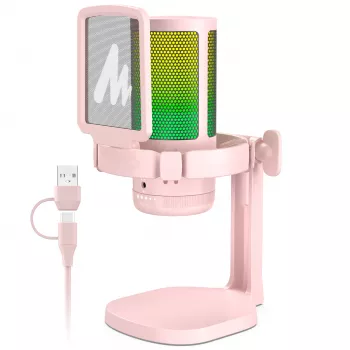
Product spotlight: RGB USB‑C Gaming Microphone with Mute Button & Zero‑Latency Monitoring
If the goal is a straightforward mic that’s quick to start and easy to control, RGB USB‑C Gaming Microphone with Mute Button & Zero‑Latency Monitoring fits the bill. It’s designed to get you into chat or recording with minimal fuss, while still offering the two features that make the biggest day-to-day difference: an instant mute button and real-time monitoring.
At-a-glance details
- Price: $61.51
- Availability: In stock
- Product page: View details
Optional add-ons for a smoother content workflow
- Using AI for Research & Data Summaries — SEO-Optimized Guide for Researchers, Students & Professionals | Digital Download | how to use ai for research and data summary
- Mastering Your Day with Smart Habits and AI: Digital Guide, eBook, and Checklist for Self-Care, Productivity, and Daily Routine Optimization
FAQ
What does zero‑latency monitoring mean on a USB microphone?
It means the microphone routes your voice directly to the headphone output so you can hear yourself in real time. This helps with consistent volume, mic distance, and avoiding the distracting “echo” feeling caused by delayed monitoring.
Will the mute button stop all audio from being sent to chat or streaming apps?
A hardware mute typically blocks the microphone signal so apps receive silence. Exact behavior can vary by model and software, so it’s smart to confirm the mute indicator and do a quick test in the apps you use most.
Does a USB‑C microphone work with phones, consoles, or tablets?
Device support varies by platform and model. Some phones and tablets may require an adapter with OTG support, and some consoles have specific USB audio compatibility rules that can affect whether a USB mic works as expected.









Leave a comment