Anime LED Qi Charging Pad: iPhone & Samsung Fit
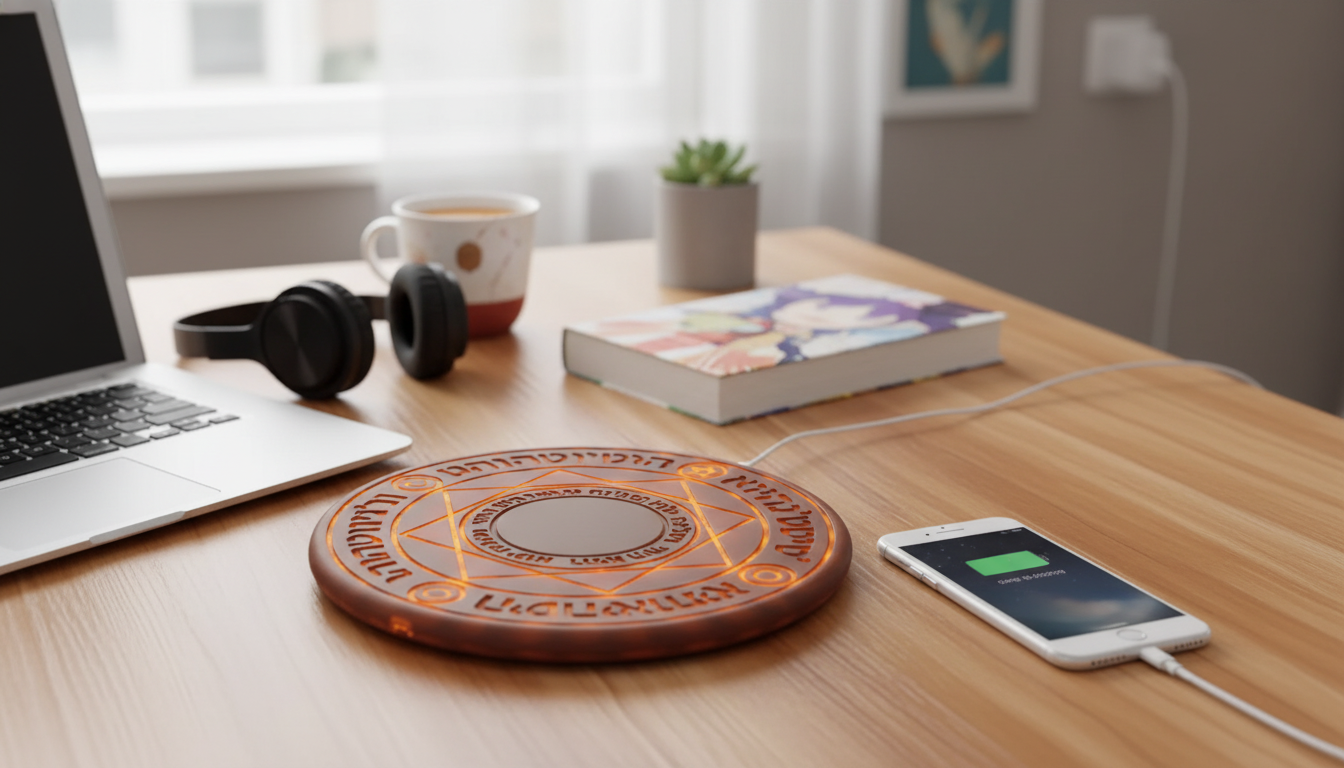
Anime LED Fast Wireless Charging Pad for Qi-Enabled Devices (iPhone & Samsung): What to Expect
A wireless charging pad should be simple: set the phone down, see a clear charging indication, and get reliable power without overheating or constant repositioning. This anime-themed LED pad adds a desk-friendly look while keeping compatibility with common Qi-enabled iPhone and Samsung models. If you want an easier “drop-and-charge” routine that also matches an anime or gaming setup, it’s worth knowing what affects daily performance and what a few small setup choices can do for stability.
What this charging pad is designed to do
At its core, a Qi wireless charging pad replaces the constant plug/unplug cycle. You place a compatible phone (or accessory) on the pad, and charging starts when the coils align and the power source is adequate. This version leans into a themed, LED-lit design so the charger can look like part of your setup rather than something you hide behind a monitor stand.
- Provides cable-free charging for Qi-enabled phones and accessories by placing the device on the pad.
- Adds an anime-inspired visual style with LED lighting for a more personalized setup.
- Works well for nightstands, desks, and gaming setups where quick set-down charging is useful.
- Pairs best with a quality wall adapter and cable to maintain steady charging performance.
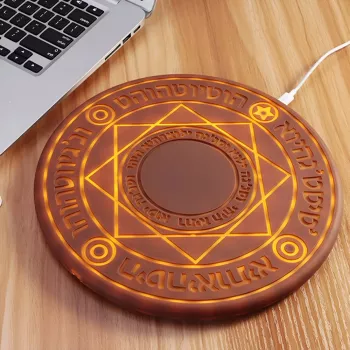
If you’re shopping specifically for a themed charger, see the Anime LED Fast Wireless Charging Pad for Qi-Enabled Devices, iPhone & Samsung while it’s in stock.
Compatibility and daily use (iPhone & Samsung)
Qi is the baseline requirement. Many iPhone models and Samsung Galaxy models support Qi wireless charging, and most users will get dependable results as long as the phone is placed flat and centered. If charging feels picky, the cause is usually case thickness, metal/magnet accessories, or slightly off-center placement—not the phone itself.
- Supports Qi-enabled devices; typical examples include many iPhone models and Samsung Galaxy models with wireless charging.
- Most cases work if they are not overly thick or metal-lined; very thick cases can reduce charging stability.
- Center placement matters: aligning the phone’s coil area with the pad improves charging speed and reduces interruptions.
- Wireless earbuds with Qi-compatible cases may also charge if the case is placed correctly.
Quick compatibility checklist
| Item | Works best when… | Common issue to avoid |
|---|---|---|
| Qi-enabled iPhone | Phone is centered; case is slim | Magnetic/metal inserts or very thick cases |
| Qi-enabled Samsung Galaxy | Phone is flat and aligned | Misalignment from camera bumps or uneven surfaces |
| Qi earbuds case | Case is placed in the pad’s sweet spot | Small cases shifting off-center |
| Phone with grip/ring accessory | Accessory is removed or does not create tilt | Tilted contact causing stop/start charging |
For official device guidance and compatibility expectations, the most reliable references are the Wireless Power Consortium (Qi), Apple Support: Wirelessly charge your iPhone, and Samsung Support: Wireless charging.
LED anime styling: when it’s a benefit (and when it isn’t)
The LED/anime styling is more than decoration in a practical setup: it can function as a quick “at-a-glance” indicator that your device is seated correctly and charging. That’s especially helpful on a desk where you might set your phone down absentmindedly between calls or matches.
- Aesthetic upgrade for desks and shelves: adds a themed glow without adding additional decor items.
- Charging status visibility: LED can make it easier to confirm the device is actually charging.
- Bedroom considerations: LED brightness may be distracting for light sleepers; positioning or dimming options (if available) can help.
- Photography and streaming: themed lighting can complement backgrounds, especially for anime, gaming, or hobby setups.
If you’re placing it on a nightstand, a simple trick is to angle the pad so the LED isn’t directly facing your pillow line-of-sight. On a desk, the glow can be a nice accent behind a keyboard or beside a controller dock.
Charging performance: what affects speed and stability
Wireless charging performance is a chain: the wall adapter, the cable feeding the pad, the pad’s coil alignment, and the phone’s case/accessories all matter. When any link is weak, you’ll notice slower charging, stop-start behavior, or warmth that feels more noticeable than plug-in charging.
Troubleshooting quick fixes
| Problem | Likely cause | Simple fix |
|---|---|---|
| Charging starts then stops | Misalignment or thick case | Re-center the phone; remove the case to test |
| Slow charging | Weak adapter or low-power port | Use a higher-quality wall adapter and cable |
| Phone gets warm | Normal heat + poor airflow | Move pad to a hard surface; avoid charging under pillows |
| No charging at all | Non-Qi device or interference | Confirm Qi support; remove metal/magnetic accessories |
Where it fits best: desk, nightstand, and travel
Safety and device care basics
You may also like
- 5-in-1 Hair Dryer & Styler Brush with Auto Curling and Frizz Control
- Women’s Suede Leather Lace-Up Loafers
FAQ
Will this work with iPhone and Samsung phones?
Yes—if the device supports Qi wireless charging. Check your phone’s specs, as many iPhone models and Samsung Galaxy models are Qi-enabled.
Can a phone charge through a case on a wireless pad?
Often yes with slim cases. Very thick cases, metal plates, magnetic mounts, and some wallet-style cases can interfere, so removing the case is the quickest way to test.
Why does wireless charging sometimes stop or feel slow?
The most common causes are misalignment, a weak adapter or low-power USB port, and case/accessory interference. Re-center the device, try a stronger wall adapter, and remove magnetic or metal accessories to improve stability.









Leave a comment